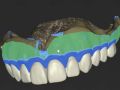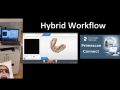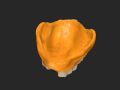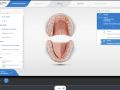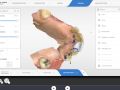

Introduction to Single Unit- PREVIEW
All Categories > Software > CEREC InLab > 4. 0 inLab Software
You are watching a short preview of this course. To see the entire video, please login or subscribe.
Purchase a Premium Membership
Watch the full version of this video plus hundreds more. Subscribe Today-
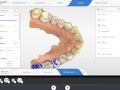
Introduction to Inlab 4.0- PREVIEW
05:48
-
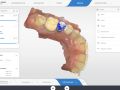
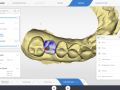
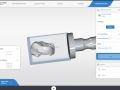
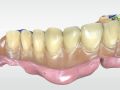
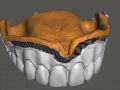
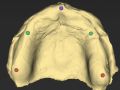
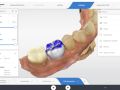
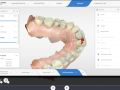
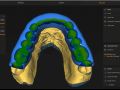
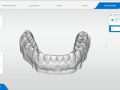
Introduction to Single Unit- PREVIEW
06:56
Now Playing
-
Introduction to Grid View- PREVIEW
02:10
-
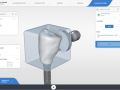
Introduction to Abutments- PREVIEW
06:28
-
inLab 4.0 Start Screen, Part 1
02:28
-
inLab 4.0 Start Screen, Part 2
03:25
-
Introduction to Administration Screen
02:55
-
Designating single restoration(s) with inLab 4.0
06:27
-
inLab 4.0 Configuration Menu
03:22
-
Introduction to inLab 4.0 Parameters
06:18
-
Custom Installation of inLab 4.0
04:38
-
Troubleshooting BridgeMode
12:11
-
Abutment Global Parameters
05:03
-
Creating Stress Breakers in Bridges
08:24
-
Framework and Telescope Parameters
04:21
-
Custom Attachments and Bar Parameters
03:27
-
How to order specific parts and blocks for inLab
04:45
-
Anatomic and Framework Pontic Global Parameters
03:33
-
Multilayer Bridge and Crown Global Parameters
04:24
-
Model Milling Global Parameters
01:06
-
How to design with supragingival Tibase
12:11
-
Designating full contour bridge in inLab 4.0
02:38
-
Designating multilayer bridge in inlab 4.0
02:12
-
Introduction to Connectors
04:27
-
Abutment Example Part 1
08:58
-
Abutment Example Part 2
06:05
-
Maryland Bridge with Intersecting Connectors
08:28
-
Maryland Bridge with Anatomic Connectors
05:20
-
Grouping non symmetric anteriors
07:28
-
Model Phase Introduction
03:34
-
Model Axis part 1- Single Unit
04:19
-
Model Axis part 2- Bridges
04:43
-
Model Axis part 3- multiple units
03:08
-
Multilayer Bridge- Part 1
06:58
-
Multilayer Bridge- Part 2
05:23
-
Troubleshooting Tibase out the back of the abutment
10:36
-
Troubleshooting poor bridge proposal
05:40
-
Troubleshooting maryland bridge binding
04:17
-
Introduction to the Mill Phase
03:43
-
Sprue positions
05:13
-
Stack Mill Part 1: Getting restorations to Stack software
03:00
-
Sending a case to Infinident
03:18
-
Stack Mill Part 2: Creating a Stack
09:21
-
Stack Mill Part 3: What restorations can you stack?
04:54
-
Troubleshooting anterior custom abutment proposal
04:37
-
Troubleshooting Cantilever bridge case
09:08
-
Troubleshooting abutment design #9
09:29
-
Workflow to correct bad abutment proposal
08:01
-
Creating a screw access hole
02:02
-
Troubleshooting connector widths with full contour bridges
06:15
-
Fixing poor abutment proposals 1
07:25
-
How to fix problematic abutment proposals
05:21
-
Using Glidewell Tibase for screw retained implant crown
08:25
-
Creating custom e.max abutments on Glidewell Tibases
05:37
-
Creating Milled temps and Cad-on with same file
07:23
-
Controlling minimal thickness of veneering structure
03:09
-
Ivoclar CAD On Instructional Video #2
03:37
-
Ivoclar CAD ON Instructional Video #3
08:17
-
Ivoclar CAD ON Instructional Video #4
08:15
-
Ivoclar CAD ON Instructional Video #5
08:17
-
Creating custom abuments with large interocclusal distance
06:47
-
Omnicam and Inlab
04:56
-
Creating great Anterior proposals
07:27
-
Troubleshooting missing contact tool with screw retained crowns
02:47
-
Maryland Bridge in Biogeneric Reference
12:42
-
Ivoclar CAD On Instructional Video #1
04:01
-
Cad On Bridges - How to Fabricate
32:32
-
E.Max CAD On Animation
01:18
-
Designing abutments imaged with Omnicam
15:52
-
Troubleshooting internal milling defect
02:26
-
Overcoming minimal thickness issues on abutment
06:30
-
Introduction to Telescope Crowns
07:43
-
Paralleling two Telescope Crowns
07:15
-
Telescope Crowns, Bar, and Attachments
05:29
-
Troubleshooting Maryland Bridge Wing Design
11:02
-
Drawing Pontic Margins on Bridges
03:23
-
Correcting error in abutment split file
03:42
-
How to Image a Partial Clasp in inLab
06:32
-
Creating Custom e.max abutments on Glidewell Tibases - Reduction
07:15
-
Advanced Bridge Design for Full Contour e.max
08:03
-
Paralleling Multiple Custom Abutments
09:08
-
Blocking out a Dark Stump Shade Part 1
04:47
-
Blocking out a Dark Stump Shade Part 2
05:24
-
Troubleshooting abutment designs tooth 30 and 9
13:48
-
How to order an SLA model
08:26
-
Troubleshooting abutment minimal thickness issue
06:59
-
Deleting Restorations from Stack Mill Program
05:02
-
How to correctly seat the scan body on the tibase
00:44
-
Troubleshooting incorrect ditching of margins with abutments
03:21
-
Troubleshooting fitting a bridge restoration into the block
03:30
Course Description
This video is a Sneak Preview based on a Beta software. Final release for the end user is expected around May. Checkout inLab.com
CEREC Version
This is course is intended for 4.0.
Presenters
-
Mike Skramstad (Faculty)
Dr. Skramstad is a basic and advanced trainer for Patterson Dental and is an alpha/beta tester for Sirona Dental Systems has lectured internationally on digital dentistry and the CEREC restorative process. He currently is faculty in the CAD/CAM Department at the Scottsdale Center for Dentistry.
View Full Bio


Compatible


Comments